Magento 2 Multi Vendor Marketplace Extension
Multi-Vendor Marketplace Module for Magento 2 is a perfect solution that helps you add multi-vendor magento marketplace functions into any Magento 2 Store. With marketplace features, vendors will be able to sign up, create a seller storefront, view a dashboard, add multiple types of products, manage orders, create an invoice, and much more. It enables customers to shop from a wide collection of products sold by various marketplace sellers.




3 months free support

Free lifetime upgrade

Bug free code

30 days money back
Looking to enhance your Magento 2 Store with multi-vendor capabilities? Our Multi-Vendor Marketplace Module for Magento 2 is the ideal solution. With this feature-packed module, vendors can easily sign up, create their own storefront, manage orders, generate invoices, and more, all while allowing customers to shop from a vast array of products sold by multiple marketplace sellers.
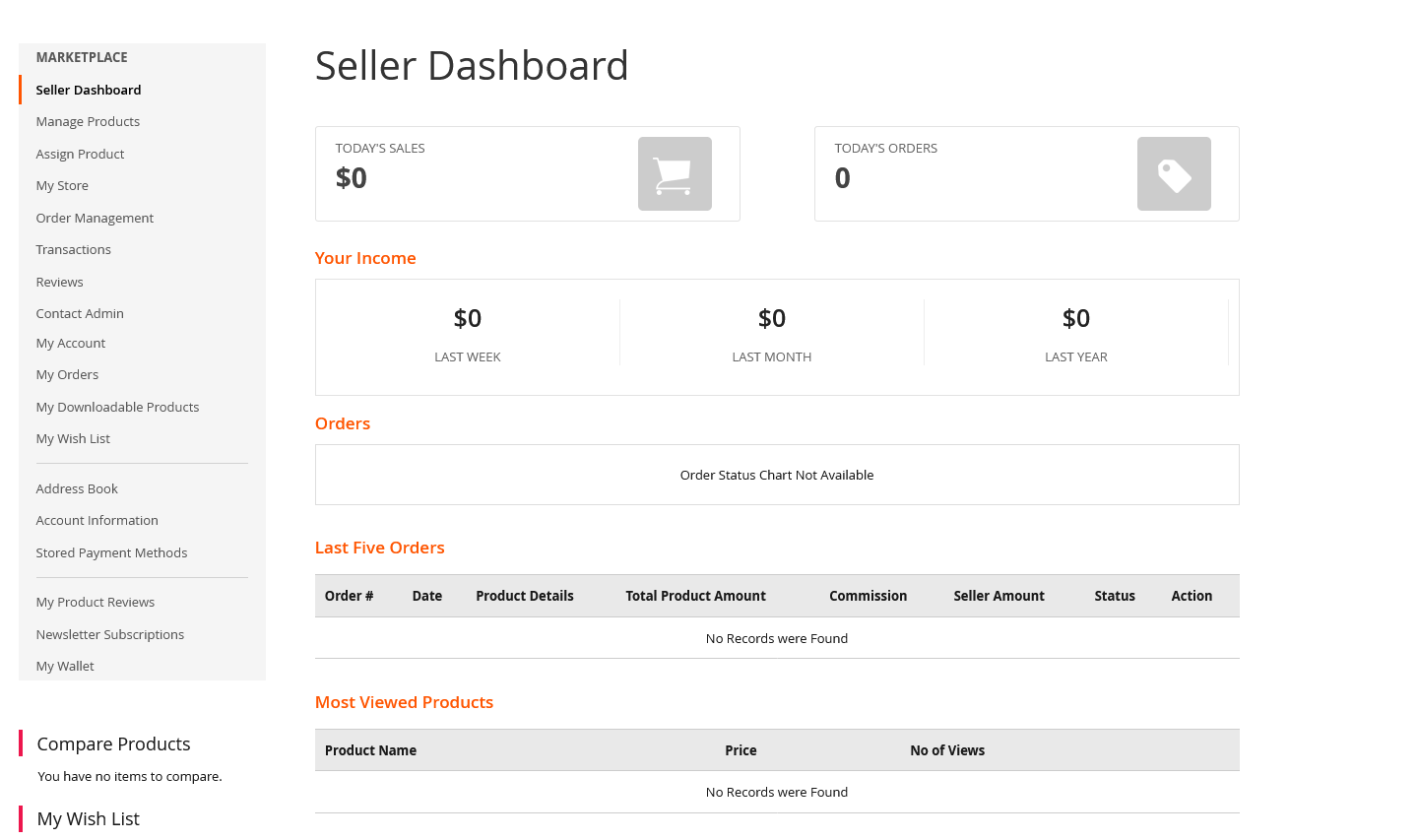
Our Magento 2 Marketplace Module boasts an easy-to-use interface, enabling vendors to add multiple product types and view a comprehensive dashboard that displays their sales data and order history. Customers will enjoy the convenience of shopping from a diverse range of products offered by different vendors, all within the same platform.
Experience the power of our Magento 2 Marketplace Module by taking our demo for a test drive. Get a firsthand look at all the features and benefits it has to offer and see for yourself why it's the perfect solution for adding multi-vendor functionality to your Magento 2 Store.
Magento 2 Multi-Vendor Marketplace works for any theme and template. For more details, kindly contact our support team.
Features

Product Management
Approve, add, remove, or edit products with preset parameters from the admin panel.

Order Management
View, approve, add, remove, or edit orders by setting parameters from the admin panel.

Vendor Management
Add, remove or edit vendors from the back end.

Commission Management
Ability toset the seller’s commission manually from the admin panel.

SEO Management
Comes with SEO friendly system to make pages easily readable for web crawlers.

Vendor Dashboard
Vendors can view and manage their own dashboards.

Customizable
Ability to customize the template as per your unique needs.

Report system
Receive detailed insights with Extension’s advanced reporting system.
Admin Features

Add/edit vendor information
Approve, add, remove, or edit products with preset parameters from the admin panel.

Set product approval
In case approval of admin is required before a vendor’s product appears in store, admin can set a parameter to enable. This approval requirement can be set ON/OFF by admin.

Set registration approval
Vendors can register from the front end. This approval requirement can be set ON/OFF by the admin.

View vendor orders from the admin panel
This extension adds the vendor name as a filter on the order listing page. Admin can use that to filter orders on the basis of the vendor names.

Manage vendor orders
While vendors can manage their orders from the vendor panel, the admin can also manage them if required.

Manage product commission
Commission payable to admin, which is some percentage of the product price, can be set on a global level applying to the whole store, as well as on vendor level and on a category level.
Customer Features

Review for a vendor
Customers can give reviews and ratings to vendors. But a customer should have bought something from that vendor.

View vendor store page
Users can view the store page for a particular vendor, by clicking on the vendor name from the product listing page.

Become a vendor
A normal user can apply to become a vendor, using the options provided on the dashboard.
Vendor Features

Vendor Panel
Vendors can manage products, orders, and their profile information from the vendor panel. This panel is shown on the user dashboard after login.

Register from the front end
The vendor can register from the front end of the website, using vendor registration links given on the header and footer of the website.

Manage profile
During or after registration, the vendor can modify their own profile information.

Manage store
Vendors can manage their information on the store page which is created on the website for each vendor.

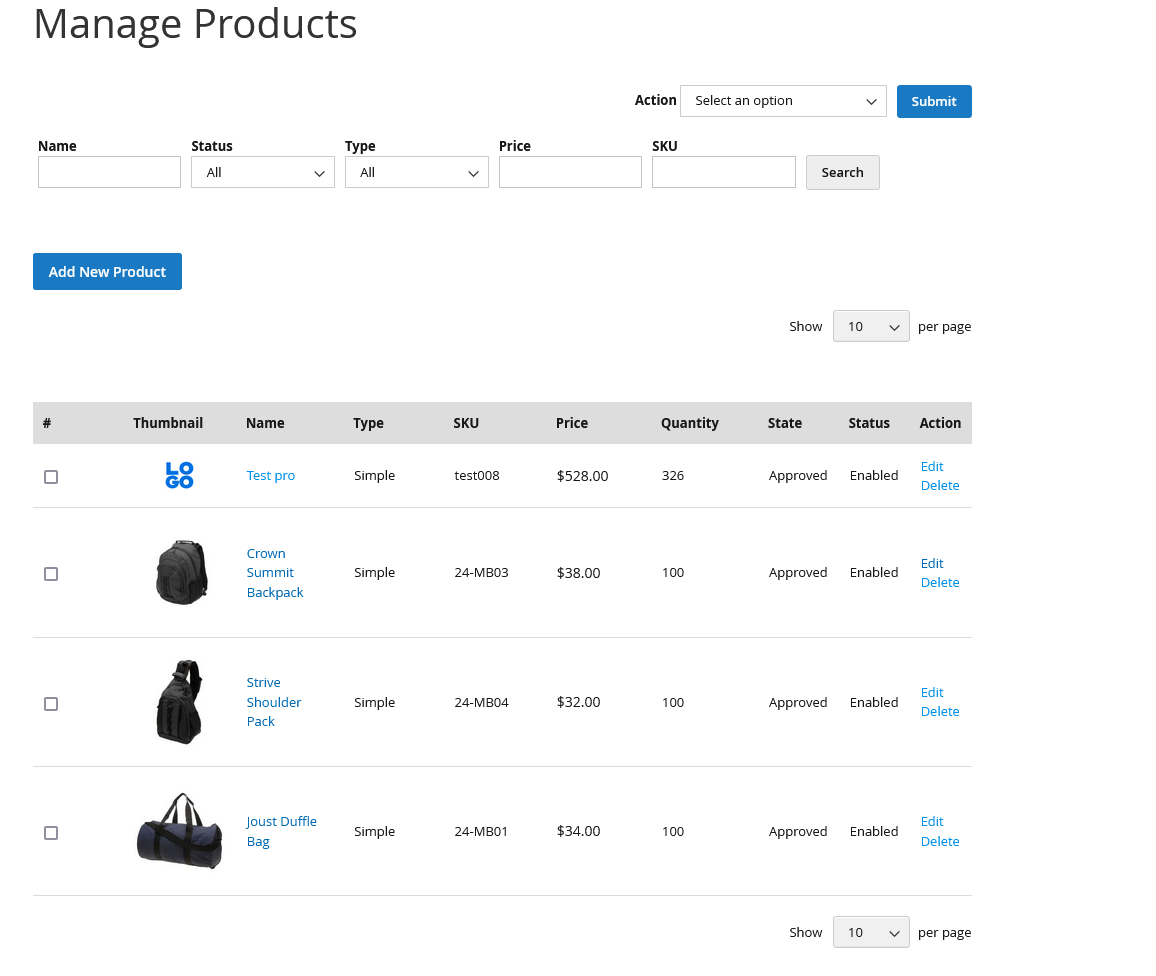
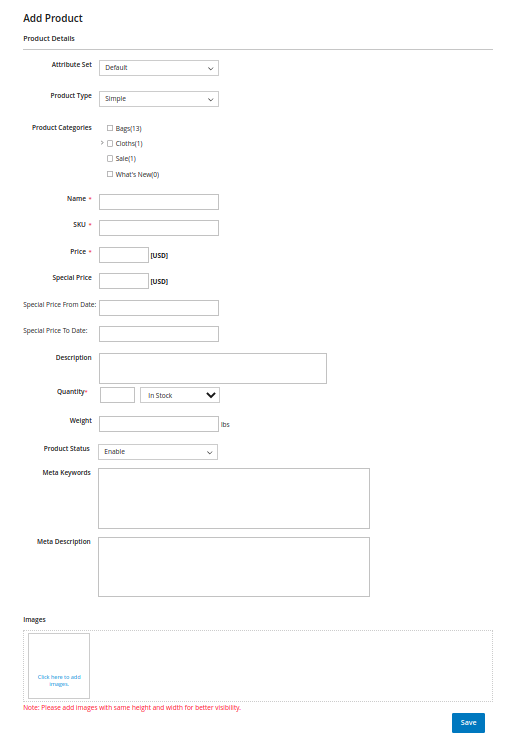
Add/delete/edit products
Vendors can manage products right from the vendor panel. The following types of products can be added/edited by vendors:
- Simple products
- Configurable products
- Virtual product
- Downloadable products

After adding a product, approval is sought from the admin, if the admin had enabled product approvals.

View orders
Vendors can see all their orders in a list view in the vendor panel, with filter options available.

Invoicing and Shipping functions
Vendors can process their orders. Usual Magento features for order processing, like "Invoice" and "Ship", are available in vendor panel.

View store reviews
Customers can review vendors and the vendor can view the review and ratings coming from customers.

View commission
For every order, a portion of the order amount is deducted by the admin, and the rest is passed on to the vendor. In this option, the vendor can see how much funds have been received from orders and how much is the commission payable to the admin. When the admin initiates a settlement, the vendor can view those details also in the vendor panel. Experience the power of our Magento 2 Marketplace Module today. See for yourself why it's the go-to solution for businesses looking to add multi-vendor functionality to their Magento 2 Store.
Our Support, Guide & Policies
For any query or issue please Email us: support.extensions@dotsquares.com
You may also check our quality: Magento 2 Extensions.
Note: Our extensions have a licensing policy, click here to view the: license policy.
-
Perfect Magento 2 Multi Vendor SolutionAs a Magento e-Commerce store owner who wants to add multiple vendors to its website, this is the best extension. I have tried other extensions also but none like this. It offers so many features and is so simple to use that even non-technical persons like me can use it with ease. From allowing to add multiple vendors to editing their information, everything can be done seamlessly.
I liked this extension so much that I am also looking to buy other extensions from Dotsquares Store.Posted on
Why buy our extensions?

Easy to Install and Manage
All our extensions are developed such that these can be easily installed and managed. In case, you find any issue installing it, you can always seek help from our team.

Fully Responsive
You will find our extensions work seamlessly on all devices, be it desktop, tablet or smart phones.

User Friendly Interface
On installation of these extensions, you will find that the user can use the platform with an ease without having to scratch his head.

Premium Support
For any query or help, you can count on us without having to think twice. Our team is available to help sort all your issues.

Doesn’t affect core files
Our extensions will only enhance the working of your store without affecting the existing store performance.

Fully Customizable
Our team of experts can customize these extensions as per your specific requirement. In other words, you don’t have to buy these extensions as they are but can also get these tailored for your needs.